Software Testing Course in Vijayawada With 100% Placement
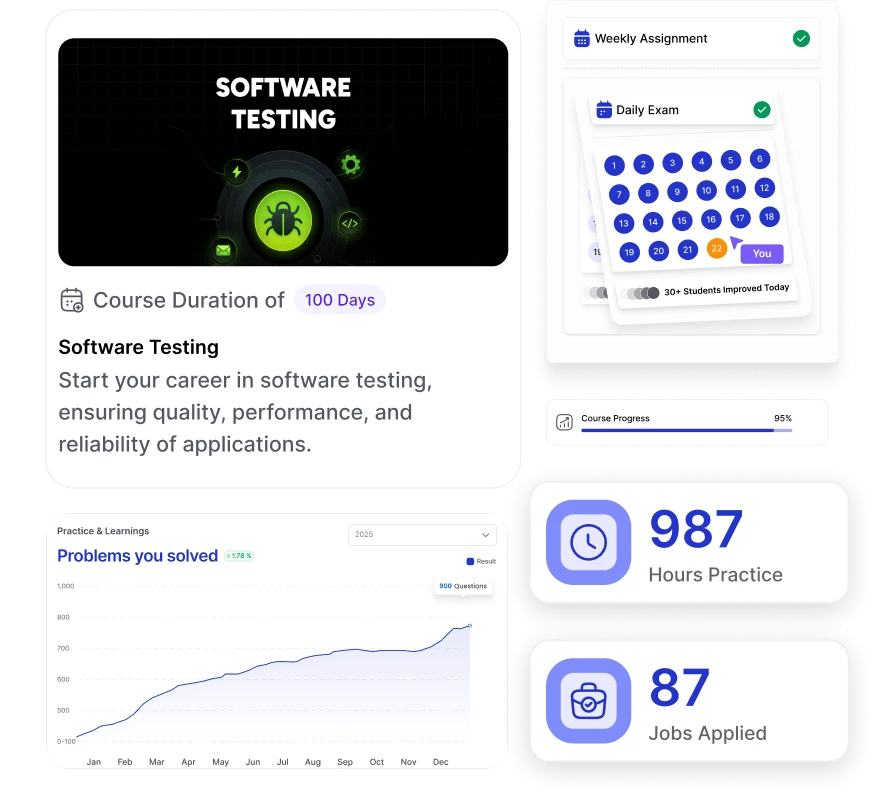
Codegnan offers a 100-day-long software testing course in Vijayawada with expert-led instruction, hands-on training, and placement assistance.
Students gain access to live projects, self-paced videos, and lifetime course materials. The program provides an industry-accredited certificate, flexible scheduling, and 24/7 lifetime support. With 100% placement assistance and over 150 hiring drives annually, it’s an ideal choice for anyone looking to launch a lucrative career in software testing. The course’s practical approach and extensive support make it stand out in Vijayawada’s competitive tech education landscape.
- ⭐ 4.8 (2,203 Reviews) Rating on every verified platform
- Beginner to Advanced
- Hands On Projects
- Placement-Focused Curriculum
- Mentorship from Industry Experts
VIJAYAWADA
Our Collaborations
Powerful Partnerships, Greater Impact
Building bridges between learning and real-world success.


50 days Instructor Led Training
Self-Paced Videos
Exercises & Projects
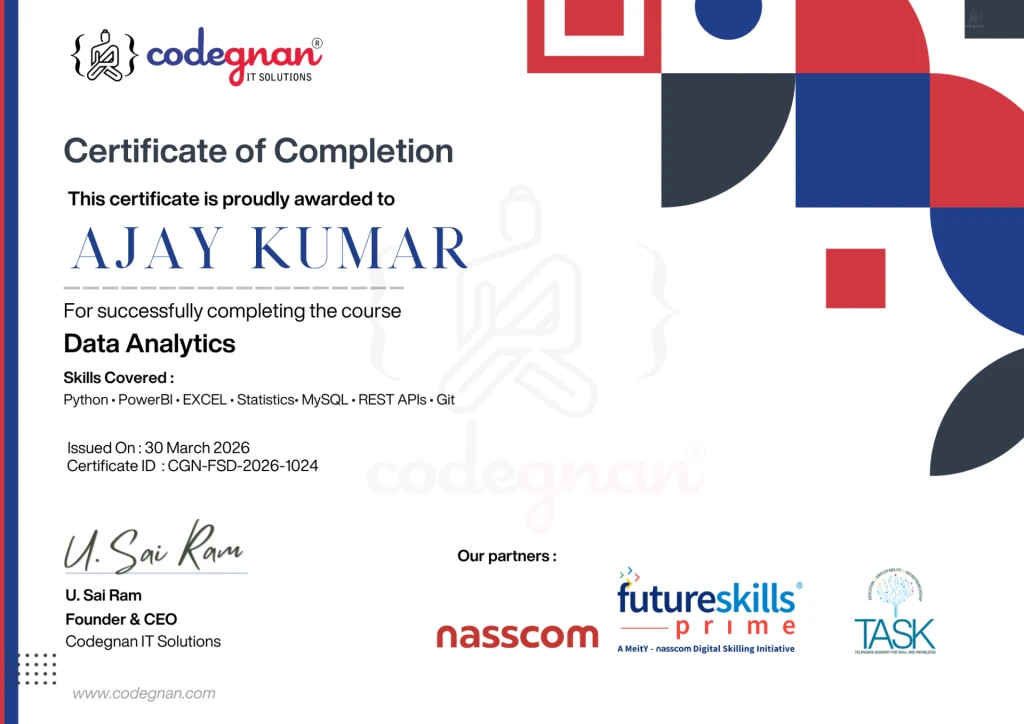
Authorized Certification
Flexible Schedule
Lifetime Access & Upgrade
247 Lifetime Support
Course Overview
Course overview of our software testing course in Vijayawada
Software testing is an essential phase of SDLC (Software Development Lifecycle), where testers check for any underlying defects in the product before launching it into the market. Software testers check for issues and defects in software and report their findings to the development team, which then makes necessary changes. This requires experts to acquire multiple skills, which you will learn from our software testing training course in Vijayawada.
You will learn about different models in SDLC, white-box and black-box testing, work on different test cases, gain knowledge of STLC (Software testing life cycle), work with Selenium, and learn about TestNG. Additionally, the course covers the basic knowledge of Java programming, MYSQL, HTML, and CSS.
Key features of the course
- 100 days of theoretical and practical training
- The course fee is ₹50,000
- Delivered by industry experts, X-IITians and students from top universities
- Hands-on experience with live projects
- Dedicated mentors for instant doubt clearance
- Get industry-accredited certificates that hold global value
- 100% placement assistance with a minimum of 150 drives per year
All this and more at an incredibly affordable price of just ₹7,999!
Learning Path
What You’ll Learn
A step-by-step roadmap designed to take you from fundamentals to job-ready expertise.
- HTML, CSS, JavaScript
- Frontend Frameworks (React / Angular – as per curriculum)
- Core Java & Advanced Java
- Object-Oriented Programming (OOPs)
- Core Java & Advanced Java
- Object-Oriented Programming (OOPs)
- HTML, CSS, JavaScript
- Frontend Frameworks (React / Angular – as per curriculum)
- Core Java & Advanced Java
- Object-Oriented Programming (OOPs)
- HTML, CSS, JavaScript
- Frontend Frameworks (React / Angular – as per curriculum)
- Final Project & Certification
- HTML, CSS, JavaScript
- Frontend Frameworks (React / Angular – as per curriculum)
Understanding
Understand market needs and define product direction. Conduct research, analyze competitors, and establish product vision. Create MVP and development roadmap aligned with business goals.
Design and Prototyping
This quarter transforms strategy into product elements. The focus shifts to creating a foundation through design and features. We establish the architecture, develop functionalities, and create a user experience that meets needs.
Development and Testing
The refinement quarter focuses on validation. We release the beta version to users, gathering feedback on performance. This phase enhances features based on feedback and prepares the product for market demands.
Launch and Support
The culmination quarter focuses on market entry and operations. This phase ensures the product is ready through testing. We prepare launch strategies and support systems for a smooth transition.
You'll Have
Everything You Need to Become
Job-Ready
Industry-recognized certification, modern tools, real-world projects, and dedicated placement support — all in one complete program.
Placement Support
- Java Full Stack certification validated by industry experts
- Mock interviews with technical & HR rounds
- Placement assistance with hiring partner companies
Real-World Projects
- Java Full Stack certification validated by industry experts
- Mock interviews with technical & HR rounds
- Placement assistance with hiring partner companies
Tools You’ll Learn
- Java Full Stack certification validated by industry experts
- Mock interviews with technical & HR rounds
- Placement assistance with hiring partner companies
Industry-Recognized Certification
- Java Full Stack certification validated by industry experts
- Mock interviews with technical & HR rounds
- Placement assistance with hiring partner companies
Curriculum
Software testing course
curriculum for Vijayawada
Covers testing fundamentals, manual & automation tools, and real-time projects for practical skills.
- Developers VS Test engineers
- Defect
- Types of Software Testing
- Waterfall model
- Spiral model Verfication &
- Validation model
- Prototype model
- Derived modelHybrid mode
- Path testing
- Conditional testing
- Loop testing
- Unit testing
- Testing the code from memory point of view
- Testing the code from performance point of view
- White Box Testing VS Black Box Testing
- Functional testing
- Integration Testing
- System testing
- Acceptance testing
- Smoke testing
- Globalization testing
- Ad-hoc testing
- Compatibility testing
- Exploratory testing
- Regression testing
- Blocker defect
- Critical defect
- Major defect
- Defect Report Template
- Defect Tracking Tool: JIRA Tool
- Scrum model
- Sprint Planning Meeting
- Scrum Master
- Scrum meeing
- Sprint Retrospective meeting
- Release Retrospective meeting
- Bug triaging meeting
- Product Backlog Grooming
- Test plan template
- Test case template
- Test Case Review Process
- Black Box Test Case Design Technique
Software Testing Life Cycle
Selenium
- Selenium WebDriver Architecture
- How to install Java on Windows OS
- How to install Eclipse IDE on Windows
- How to Setup Selenium WebDriver in Eclipse IDE
- How to run Tests on Different Browsers
- Maven Introduction and Installation
- How to Manage Dependencies with Maven
- How to use WebDriver Manager
- How to Write First TestCase in Selenium
- WebDriver Interface
- Basic Methods in WebDriver Interface
- Locators in Selenium WebDriver
- Different Types Of locators
- Introduction to XPath
- Relative Vs Absolute Xpath
- XPath Starts-with Function
- XPath Contains Function
- XPath text() Method
- XPath AND Operator vs XPath OR Operator
- XPath Axes Methods | Parent, Child, Self
- Axes Method descendant, descendant-or-self
- XPath Axes following, following-sibling
- XPath Axes preceding, preceding-sibling
- Introduction to CSS and CSS Selector
- CSS Selector using Class Attribute
- CSS Selector with Multiple Attributes
- Direct Child or Sub-child Elements
- Next Sibling | Adjacent Sibling Combinator
- First-Child, Last-Child, Nth-Child, Nth-Last-Child
- Handle Dropdown in Selenium
- Handle Checkbox in Selenium
- Select Radio Button in Selenium
- Handle Frames in Selenium
- Handle Alert Popup in Selenium
- Handle Multiple Windows in Selenium
- Perform Mouse Hover in Selenium
- Perform Drag and Drop in Selenium
- Handle Resize Widget in Selenium
- Automate Slider in Selenium
- Perform Right Click in Selenium
- Perform Keyboard Events in Selenium
- Take Screenshot in Selenium
- Handle Authentication Popup in Selenium
- Implicit Wait
- Explicit Wait
- Fluent Wait
- Install TestNG in Eclipse IDE
- Write Test Cases Using TestNG
- TestNG Annotations | Before Method vs BeforeTest
- Use Assertion in Selenium TestNG
- SoftAssert vs HardAssert
- Group Test Cases in TestNG | Grouping
- To Create Test Suite in TestNG
- To Skip Test Cases in TestNG
- TestNG Annotations | BeforeGroups | BeforeClass
- TestNG Annotations | BeforeSuite and AfterSuite
- DataProvider in TestNG \ Data Driven Testing
- Use DataProvider in TestNG Selenium
- TestNg Listeners
Java Introduction
- History
- Features
- Post Install Configuration
- Writing a simple progra
- compiling and executing
- Data types
- Variables and Arrays
- Using Eclipse
- Create packaged classes
- Eclipse shortcuts
- Arithmetic Operators
- Boolean Operators
- Logical Operators
- Binary Operators
- Branching Statements
- Iterative Statements
- Break & Continue with enhancements
- While
- For
- Do..While
- Goto Statement
- Break and Continue Statement
- Basic of OOPs
- Fundamentals of class & object
- new keyword
- Reference variables
- Member methods of a class
- Constructors
Finalize method - Overloading member methods
- Overloading constructors
- Passing and returning objects with methods
- Access Control
- Static Methods
- Static Variables
- Static Block
- Using final keyword
- Unit Testing using Junit-5
- Basics of Inheritance
- Members accessibility in inheritance
- Using super keyword
- Multilevel Inheritance
- The sequence of execution of constructors in inheritance
- Method Overriding
- Dynamic Method Dispatch
- Abstract classes
- Preventing overriding
- Preventing inheritance
- Fundamentals of Exceptions
- Types of exceptions
- Using try and catch keywords
- Multiple catches
- Nesting of try blocks
- Using throw keyword
- Using throws keyword
- Finally block
- Some predefined exceptions and their usage
- User defined exceptions
- Purpose of Interface
- Defining an interface
- Implementing interfaces
- Interface reference variables
- Interface with variables
- Extending interfaces
- Basics of threads
- Java threaded model
- Defining threads using Runnable interface
- Defining threads using Thread superclass
- Multiple threads
- Thread Priority values
- Thread Synchronization using synchronized methods
- Thread Synchronization using synchronized blocks
- Using String class
- Using java.lang package
- Working with Data & Time
- Utility framework
- Collection framework
- I/O framework
MySQL
- What is a Database
- Why use a Database?
- What is DBMS?
- Types of DBMS
- Introduction to SQL
- Database vs DBMS vs SQL vs MySQL
- MySQL Installation
- Creating Database
- Use and Drop Database
- Introduction to Tables
- Introduction to data types
- Data Types
- Numeric Data types
- String Data types
- Date and time and other data types
- Introduction to SQL Sublanguages
- Creating tables and describing its structure
- DML:INSERT part-1
- DML:INSERT part-2
- Null and Not Null constraints,altering default behaviour
- DQL:Select
- DCL:Commit, Rollback,Savepoint
- DML:Working with Update and Delete commands
- Where Clause
- Introduction to MySQL Operators and their usage
- MySQL Warnings vs Errors
- Comparison Operators part-1
- Logical AND and other comparison operators
- BETWEEN AND and NOT BETWEEN AND,OR operator in Logical Operators
- IN and NOT IN Operator
- IS NULL and IS NOT NULL
- DISTINCT
- ORDER BY
- LIMIT
- LIKE
- MySQL workbench Installation
- Working with MySQLworkbench
- Introduction to aggregate functions
- Count
- Group by
- Min and Max
- Group by with Min and Max
- SUM And AVG
- Group by with SUM and AVG
- Subqueries
- Exporting MySQL Databases
- Importing MySQL Databases
- Char Vs Varchar
- Integer data types (SMALLINT,TINYINT,..)
- float VS DECIMAL
- Working with Date and TIME
- CURDATE,CURTIME AND CURRENT_TIMESTAMP
- Date functions
- Time Functions
- Formatting dates
- Operations on dates
- Datetime vs Timestamp
- Automatic Initialization and Updating for TIMESTAMP and DATETIME
- Why JOINS?
- Introduction to JOINS
- CROSS JOIN
- INNER JOIN, LEFT OUTER JOIN, RIGHT OUTER JOIN
- Cloning Instagram’s DB: Users Schema
- Cloning Instagram’s DB: Followers Schema
- Cloning Instagram’s DB: Photos Schema
- Cloning Instagram’s DB: Likes Scema
- Cloning Instagram’s DB: Hashtags Schema
- Instgram Clone Callenges
HTML
- History and Importance of HTML
- Basic HTML syntax
- The current state of HTML
- HTML resources
- Choosing a code editor
- Exploring an HTML document
- DOCTYPE declarations
- Document head
- Understanding content models
- Formatting Content with HTML
- Headings
- Paragraphs
- Whitespaces
- Images
- Unordered lists
- Ordered lists
- Definition Lists
- Anchor element
- Page internal linking
- Linking to external pages
- Linking to downloadable
- Linking to page regions
- Introduction to forms and their importance
- Form structure and basic form elements
- Text inputs, textareas, and buttons
- Radio buttons and checkboxes
- Select dropdowns and file uploads
- Hidden inputs and labels
- Favourite Blog
- Resume building with
- HTML Registration & Login page
CSS
- HTML overview
- Default browser styles
- Browser support and inconsistencies
- Inline, internal and external CSS
- Naming conventions
- Syntax, terminology, and naming conventions
- Type, class, and id selectors
- Combinator selectors
- Selectors: Best practices
- Web-safe fonts and the font-family property
- Web fonts and Google fonts
- The font-size property
- The font-style and font-weight properties
- The color, line height, and text properties
- Adjusting the font-weight property
- Block Vs. inline display
- The Box model
- Margin and page layout
- Padding
- Floats
- The box model fix
- Box model review
- Horizontal navs with the display property
- Horizontal navs with the float property
- Positioning
- Float, display, and position
- Layers and the z-index property
- CSS grid
- CSS Flexbox
- Building Paytm clone Page
- Building Portfolio page
Become a Software testing
Talk to our expert Software testing mentors and learn how our training programs in Vijayawada can help you become a Software testing developer and get a high-paying job.
Your Assistant will Call you in 5Min
- Not just videos — a career operating system.
Your Personal LMS Platform
Everything you need to learn, practice, track, and get placed — in one place.
Over Advantage
Why Our Placement System Creates Job-Ready Developers
A Structured, Interview-Focused Training Model Designed for Real Industry Success
Placement-Oriented Training That Converts Skills Into Jobs
🔴 The Challenge
Many students learn concepts but struggle with interviews due to lack of practical exposure, communication skills, and structured preparation.
🟢 Our Approach
We combine industry-driven curriculum, real-world coding practice, soft skills training, and mock interviews to ensure students are fully prepared for hiring processes.
We don’t just teach concepts — we train you to crack interviews.
What This Means:
- Curriculum designed based on current industry demand
- Strong focus on problem-solving & real-world scenarios
- Regular coding challenges & performance assessments
- Resume-building & LinkedIn optimization sessions
- Mock interviews (Technical + HR rounds)
- Soft skills & communication training
Dedicated Career Acceleration Team
🔴 The Challenge
🟢 Our Support System
What This Means:
- Dedicated placement assistance team
- Interview opportunities with 70–100+ hiring partners
- Company-specific interview preparation
- Job referrals & walk-in updates
- Career guidance even after course completion
- Support for freshers & career switchers
Placement-Oriented Training That Converts Skills Into Jobs
🔴 The Challenge
Many learners quit due to confusion, lack of feedback, or no guidance.
🟢 Our Mentorship Model
Experienced trainers provide continuous guidance, structured feedback, and one-on-one mentorship sessions.
You’re never learning alone — we guide you at every step.
What This Means:
- One-on-one mentorship from experienced trainers
- Regular doubt-clearing sessions
- Code reviews & performance feedback
- Personal learning roadmap guidance
- Continuous support throughout the course
Certification That Validates Real Skills
🔴 The Challenge
Generic certificates don’t reflect actual industry readiness.
🟢 Our Mentorship Model
Our Java Full Stack certification reflects hands-on project work and real technical capability.
What This Means:
- Industry-recognized Java Full Stack Certification
- Validates technical & practical skills
- Adds strong value to resume & LinkedIn profile
- Boosts credibility during interviews
Your Journey
Your Journey At Codegnan
Daily Practice, hands-on projects and consistent feedback – your growth depends on the energy and effort you bring in every single day.
- First Class
- Daily Practice & Weekly Challenges
- Real-World Projects
- Career Readiness Review (CRPR)
- Placement Support
- Interviews & Offers
Who are these software training classes for?
01
1. College pass-outs and freshers
This course is suitable for fresh graduates from IT or non-IT backgrounds. If you want to work as a software tester, this course is suitable for you. It is designed for everyone from beginners to professionals, and is delivered by some of the top professionals in the industry.
02
2. Software Developers
Software developers can enrol for the course if they are looking to upskill themselves. Learning software testing can help them deploy high-quality software into the market. This add-on skill assists them in getting better jobs.
03
3.. Quality Assurance Engineer
Java’s USP is that it is a "write once, run anywhere" programming language. This allows you to create applications compatible with any device, regardless of the operating system. This cross-platform capability becomes a valuable asset in your skill set.
04
4. IT Professionals
Any IT professionals looking for a job to switch or enhance their skill set can join the course. It will help them learn a new skill and add them to their resume to create a better impact on employers.
Join 4,000+ companies already growing
Trustpilot
Rated 4.8/5
Google Business
Rated 4.8/5
Google Business
Rated 4.8/5
4,000+
Students Placed
4,000+
Students Placed
4,000+
Students Placed
4,000+
Students Placed
Recently Placed Students
Kolla Pavan Kalyan
Trainee - IAM Engineer
09-04-2026
Date
Hyderabad
Location
JFS-HYD-024
Batch no.
Arun Teja Pattabhi
Programmer Analyst Trainee
09-04-2026
Date
Hyderabad
Location
JFS-HYD-039
Batch no.
CH NAGA VENKATA SAI
Programmer Analyst Trainee
09-04-2026
Date
Vijayawada
Location
JFS-VIJ-024
Batch no.
Mannam Nivas
Trainee Software Engineer
09-04-2026
Date
Hyderabad
Location
JFS-HYD-038
Batch no.
Mummaneni Manasa Lalitha
Programmer Analyst Trainee
09-04-2026
Date
Hyderabad
Location
JFS-HYD-039
Batch no.
Job Roles
Career Roles After This Course
Lorem ipsum dolor sit amet, consectetur adipiscing elit, sed do eiusmod tempor incididunt ut labore et dolore magna aliqua.
Java Full Stack Developer
Frontend Developer
Software Engineer
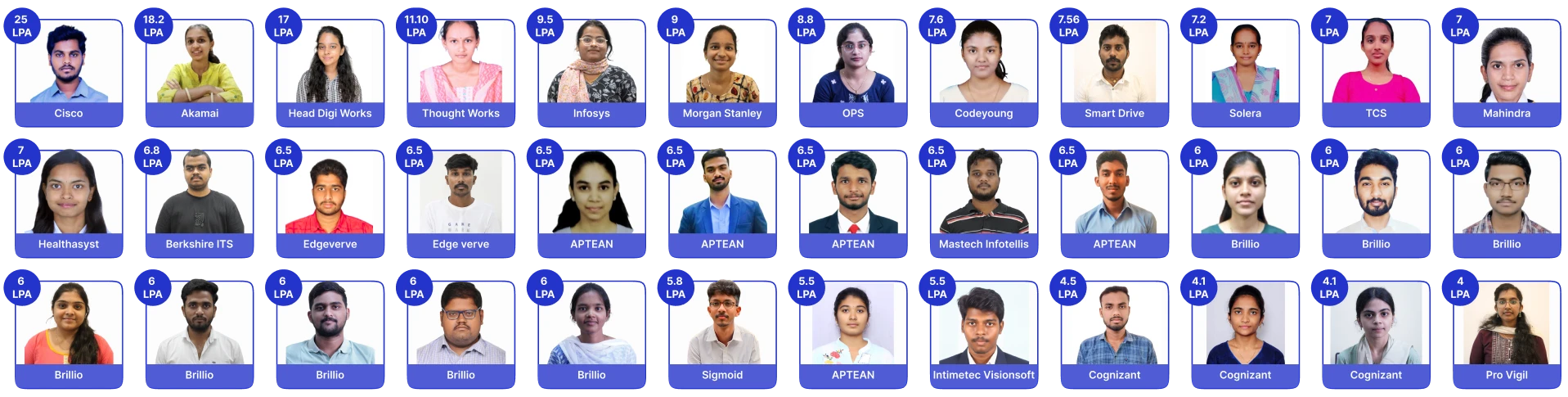
Students Placed with this Course
Real student placement outcomes
learning platform transforms students into industry-ready professionals.
Learn from certified Java experts in Hyderabad
Learn directly from experienced industry professionals who guide you at every step.
Senior Mentor
Kishor Kumar
Know More
Senior Mentor
Kishor Kumar
Know More
Senior Mentor
Kishor Kumar
Know More
Senior Mentor
Kishor Kumar
Know More
Senior Mentor
Kishor Kumar
Know More
Senior Mentor
Kishor Kumar
Know More
Student Reviews
Their Success, Our Pride
Real feedback from those who made it.
4.01LPA
Learning Python at Codegnan has been a game-changer for me! The hands-on approach and real-world projects made concepts crystal clear. Special thanks to Pooja ma'am—her mentorship, patience, caring towards each and every student and deep knowledge made every session engaging and impactful..
- Shaik Ayesha Yasmeen
3.65LPA
Learning Python at Codegnan has been a game-changer for me! The hands-on approach and real-world projects made concepts crystal clear. Special thanks to Pooja ma'am—her mentorship, patience, caring towards each and every student and deep knowledge made every session engaging and impactful..
- Chennamsetty Gopi Krishna
3.25LPA
Learning Python at Codegnan has been a game-changer for me! The hands-on approach and real-world projects made concepts crystal clear. Special thanks to Pooja ma'am—her mentorship, patience, caring towards each and every student and deep knowledge made every session engaging and impactful..
- Reshma Vuyyuru


Fees
What is the software testing course fee in Vijayawada?
Codegnan’s software testing training course fee in Vijaywada is ₹50,000.
Generally, the course fee depends on various factors such as course duration, syllabus, trainer expertise, training mode, placement assistance, number of projects, practical training hours, and additional course features.
But learning software testing can help you land a high paying job in Vijayawada. The demand for software testers is increasing everyday. You can find more than 28,000 software testing job vacancies in India on LinkedIn. These jobs offer potentially high salaries, which is ₹4.7 LPA at an average in India where at the beginning, you may start with ₹1.5 LPA, but with experience, you can earn nearly ₹8.0 LPA.
Phone Number
Location
40-5-19/16, Prasad Naidu Complex, P.B.Siddhartha Busstop, Moghalrajpuram, Vijayawada, Andhra Pradesh 520010
Frequently asked questions
1. Why is software testing important to learn?
Software testing is important to learn for tech professionals for identifying defects in a software at its initial phases. Software testing is an essential part of SDLC (Software Development Lifecycle) where testers ensure the product is ready to launch into the market. However, if they identify defects within the software, they need to immediately report to the development team.
2. What is the eligibility criteria to enroll in software testing training in Vijayawada?
There is no eligibility criteria for IT professionals to enrol in software testing training in Vijayawada. But, for tech college passouts, there are certain eligibility criteria for the course, like
- BTech (CSE, IT, ECE, EEE) and MCA students needs to acquire at least 60% in graduation, 60% in intermediate, and 60% in 10th class
- Similarly, for B.SC & BCA students, they must have at least 60% in graduation, 60% in intermediate, and 60% in 10th class
3. Will codegnan help in securing jobs and internships in Software testing?
Yes, Codegnan helps in securing jobs and internships in software testing after course completion. They are offering 10p% placement assistance with a promise of minimum 150 drives in a year.
4. Does learning software testing increase my salary?
Yes, learning software testing increases your salary especially if you are a software developer or working in the IT domain. Software testing is an essential skill that ensures a product is ready to launch and is free from defects.
5. Is it difficult to learn Software testing?
No, it isn’t difficult to learn software testing especially if you are enrolling for our software testing training course in Vijayawada. The course syllabus is designed for beginners to professionals helping learners know software testing from scratch. Also, we offer a practical learning approach which gives you a clear understanding of how software testing works in the real world.
6. What is the course duration of software testing training in Vijayawada?
The course duration of software testing training in Vijayawada is 100 days. However, this course duration isn’t fixed for every training institute. It depends on multiple factors like course syllabus, class durations, need for practical sessions, etc.
Still have questions?
Can’t find the answer you’re looking for? Please chat to our friendly team.